
How do administrators assign educational resources to their team?
The Violet platform allows for organizational administrators to assign education to their team, including a start and an end date. Within the platform, you'll also be able to send reminders to those that have not completed the resources.
To do this, go to My Organization > Education > Assignments. You will see a screen like the one below with a clear button to "Create assignment".
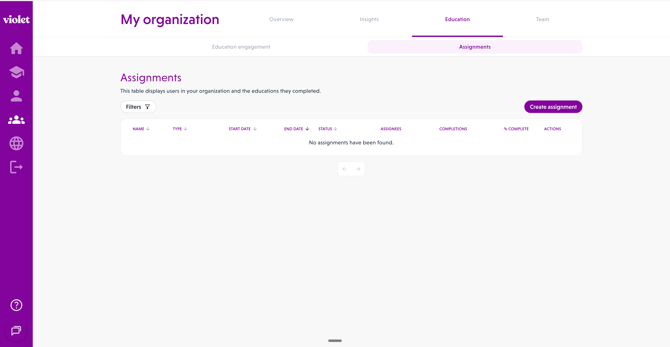
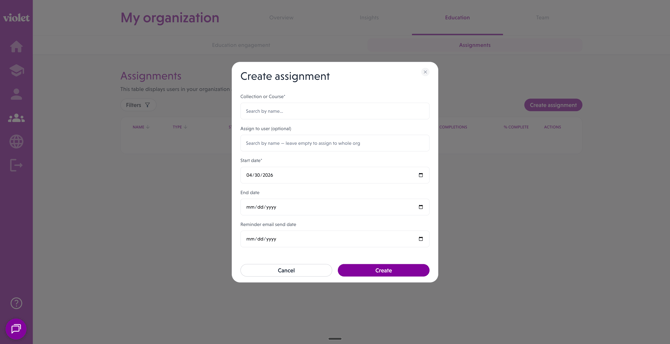
Once you click Create assignment, you will be asked to select the: educational resource, start date, end date, and the users you want to assign the resource to. Important notes on this process:
- You may assign Courses or Collections.
- You may leave the end date blank, and it will continously ask all team members that join Violet to complete that resource.
- You may select one-user at a time for the assignments.
- You may assign the resource to everyone at the organization by leaving the field blank.
- If you are trying to assign specific courses to a subset of organizational users, please contact Violet directly and we can do it for you.
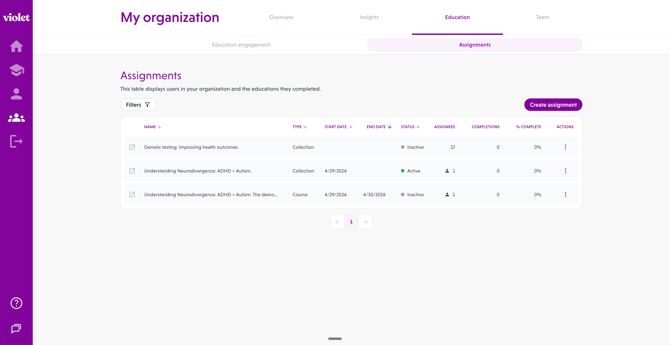
Once you are complete with the resource assignment, you will see the active assignment in the table on this Assignments page. You may edit or delete the assignment as well by selecting the record within the table.
What will my users see once I assign a resource?
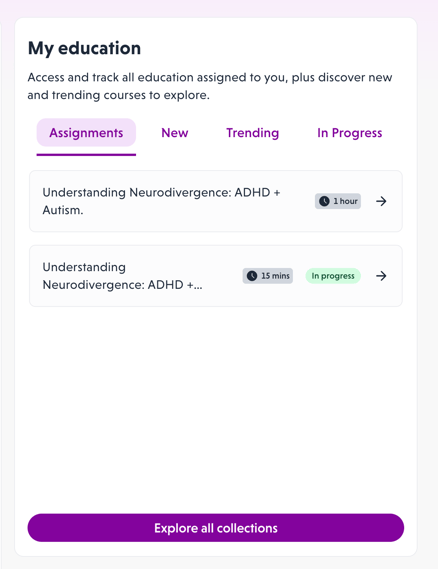
Learners with active assignments will see the ask in two places: their home page and their education catalog page. The home page will showcase a new Assignment tab only if there are active assignments for the user to complete.
For additional information or questions, please contact us directly.